Hotel websites: what guests should know before they message you
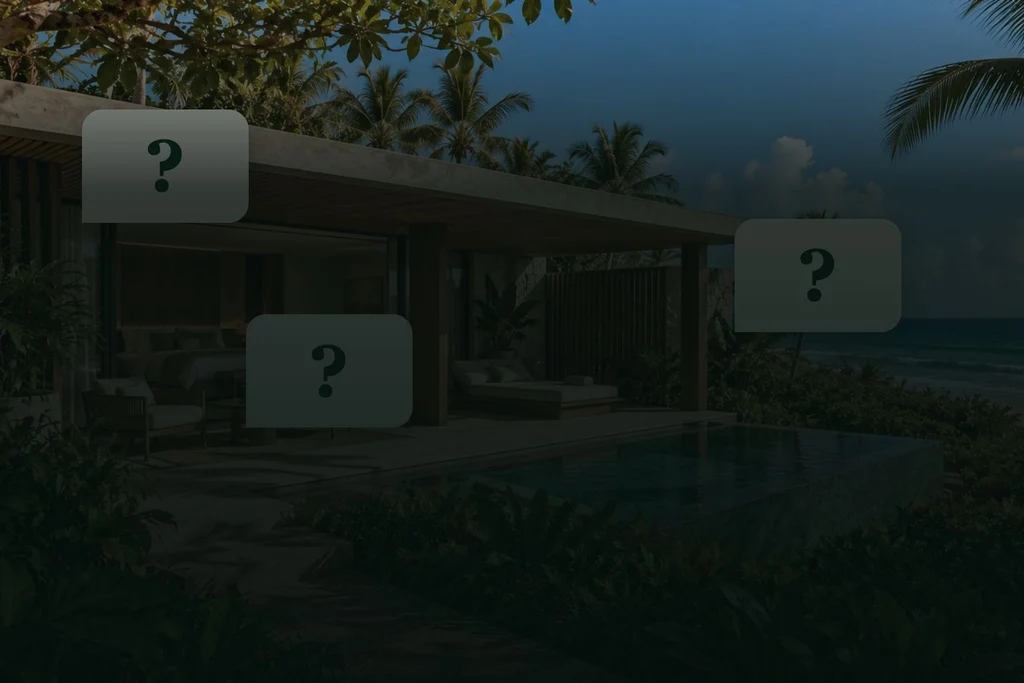
fieli studio composition using imagery from ENTREMA, a fictional hotel concept by the Studio. Source images generated with AI; illustrative questions.
Is your team explaining what the hotel website leaves out? Organise room details, rate conditions and next steps so guest enquiries start with context.
By Karl Belowodski · fieli studio
In 30 seconds
- Room differences, inclusions and arrival information can support the decision on the website.
- Availability, rate terms and individual requests need a reliable source and a clear owner.
- A practical worksheet connects recurring questions to page improvements without treating fewer messages as proof of more bookings.
“Is that pool private?” “Does this rate include breakfast?” “Which room would work for our family?” These are illustrative questions, but they point to a practical job for a hotel website: helping people understand the stay before they choose it.
A guest may prefer WhatsApp, web chat, email or a phone call. Personal service remains valuable. When the team also has to explain every photograph and decode the room names, the information on the website deserves a closer look. This article offers a practical review method, illustrated through ENTREMA, our fictional hotel concept.
Give recurring questions a place on the page
A question is not automatically evidence of a problem. Some guests want personal reassurance after reading the details. A family may need help arranging rooms, or someone may want to discuss a particular access requirement. Keep that route open.
The useful signal is a repeated question that could have a clear, dependable answer on the relevant page. Note the subject, the room type and the stage of the enquiry. “Are children welcome?” calls for a verified policy. “Which arrangement works for our children and their grandparents?” may need a conversation.
Baymard’s accommodation research found that people need specific information to assess a stay. Missing information and features sometimes led participants to abandon a site.1 That supports reviewing clarity. It does not reveal how many bookings your property would gain from a change.
Separate facts, changing terms and individual requests
Before adding an FAQ or commissioning a redesign, sort the information. This is the Studio’s editorial framework, rather than a universal operating procedure.
On a phone, scroll the table sideways to read all three columns.
| Question type | Illustrative example | Where the answer belongs |
|---|---|---|
| Relatively stable detail | What is the bed setup? Does this room have its own pool? | On the relevant room page, supported by accurate photographs and descriptions. |
| Variable condition | Is the room available on these dates? Is breakfast included in this rate? | In the current booking source or an enquiry with clearly stated conditions. |
| Individual arrangement | Can we organise a group arrival? Will this layout meet our requirements? | With the team, carrying only the context the guest chooses to share. |
The distinction matters. Basic information should be easy to find, while changing terms need a reliable source. A beautifully photographed breakfast table does not, by itself, tell someone whether breakfast is included in their rate.
A room name is the beginning of a description
A distinctive name can express the property’s character. The description still needs to explain the stay: occupancy, beds, outlook, privacy, layout and access. Choose relevant criteria and use them consistently across room types.
Nielsen Norman Group’s guidance on comparison tables emphasises consistent information and a scannable layout. Details scattered across different pages make comparison harder.2 A small hotel need not turn its rooms into a spreadsheet. Individual descriptions can keep their voice while answering the same essential questions.
The Jardim and Horizonte houses at ENTREMA illustrate this distinction. One description centres on a sheltered courtyard and garden; the other on the sea outlook. Occupancy and layout sit alongside the atmosphere of the imagery.3 The linked source is in Portuguese; house names are retained as proper names.

ENTREMA is a fictional hotel concept created by fieli studio with AI-generated imagery. It demonstrates creative decisions, not guest bookings or commercial results. A real property must validate every description against its actual operation.
Place the answer where it affects the decision
An FAQ can provide useful support. It should not be the only place to discover a condition that changes which room or rate someone can choose.
If reaching a room involves stairs, describe the route on that room’s page. If a photograph shows a shared space, say so in the caption. If an inclusion depends on the selected offer, explain where to check it. A broad “accessible” label is less useful than specific, verified details about the property’s facilities and routes.
This is where photography and page content work together. An image creates interest; the accompanying information explains what is actually shown. Other language versions need the same attention to conditions and contact options as they receive in their headlines.
Let the enquiry carry the room context
“Ask about Casa Jardim” can open an editable message containing the room name. The visitor can review it, add context and choose to send. Where confirmation is still needed, “Check availability” describes the next step more accurately than wording that implies a booking is already complete.
The ENTREMA stay notebook explores gathering interests before the next step.4 It is a concept demonstration. Selecting an experience does not confirm dates, prices, availability or a reservation.
For an operating hotel, the existing booking engine and team workflow need to be understood first. Avoid requiring guests to enter the same details again, and do not put unnecessary personal information into a contact URL. Provide an alternative channel for people who do not use WhatsApp.
Start with one page and a useful review
Choose one room type. List five recurring questions without guest names, phone numbers or copied messages. For each question, identify the answer’s location, its source, its owner and what would trigger an update.
Ask someone unfamiliar with the property to compare two options on a phone. Observe what they find, ask and assume. This is an exploratory review, not a representative study or a conversion-rate measurement.
Download the guest-question worksheet. It includes illustrative examples and fields for page, source, owner and review. No email registration is required. The findings can also inform a hotel website brief.
After changes, review room-page visits, contact actions and enquiry topics over comparable periods. Fewer messages could mean clearer information, lower traffic or a broken contact link. A WhatsApp click does not establish that a message was sent, and an enquiry is not a confirmed booking. Look for evidence that visitors can progress and that the team receives useful context.
A considered website can do some of the first work of hospitality: showing, explaining and guiding. Personal service then has a clearer starting point.
Five practical decisions to start with
Choose one page and review it with the people who answer guest enquiries.
Sort the questions.
Separate stable information, variable terms and individual requests.
How to check Review five recurring questions without copying guest details.
Make rooms comparable.
Use the same criteria for each room type: occupancy, beds, outlook and layout.
How to check Can someone unfamiliar with the property compare two options?
Keep conditions near the decision.
Show inclusions, restrictions and the source of the rate alongside the relevant choice.
How to check Find the condition without leaving the room or offer page.
Carry context into the enquiry.
A contact link can include the room name in a message the visitor can review before sending.
How to check Open the link without sending and check its destination and editable text.
Give updates an owner.
Assign a source, owner and review trigger to each important detail.
How to check Does the team know who changes a new opening time or booking condition?
Frequently asked questions
Should the website replace personal guest service?
No. It can explain recurring information and help guests narrow their choices. Individual requests, arrangements and personal advice still belong in a conversation.
Is an FAQ page enough?
An FAQ can help, but a condition that affects the choice should also appear beside the relevant room, rate or action.
Can a static page show prices and availability?
Those details need an up-to-date source. Use the booking engine or the responsible team, and make it clear when confirmation is required.
Do fewer enquiries prove the website is better?
No. They may also reflect lower traffic or a contact problem. Review the questions, visits, enquiries and confirmed bookings together, with clear definitions.
Sources
- Baymard Institute — Travel Site UX: 5 Best Practices (Accessed 10 October 2026)
- Nielsen Norman Group — Comparison Tables for Products, Services, and Features (Accessed 10 October 2026)
- ENTREMA — casas (Accessed 10 October 2026)
- ENTREMA — caderno de estadia (Accessed 10 October 2026)
Updated .
How we made this note: AI-assisted research, every source opened and checked, writing and review by fieli studio.