How to present room types and rates on a hotel website
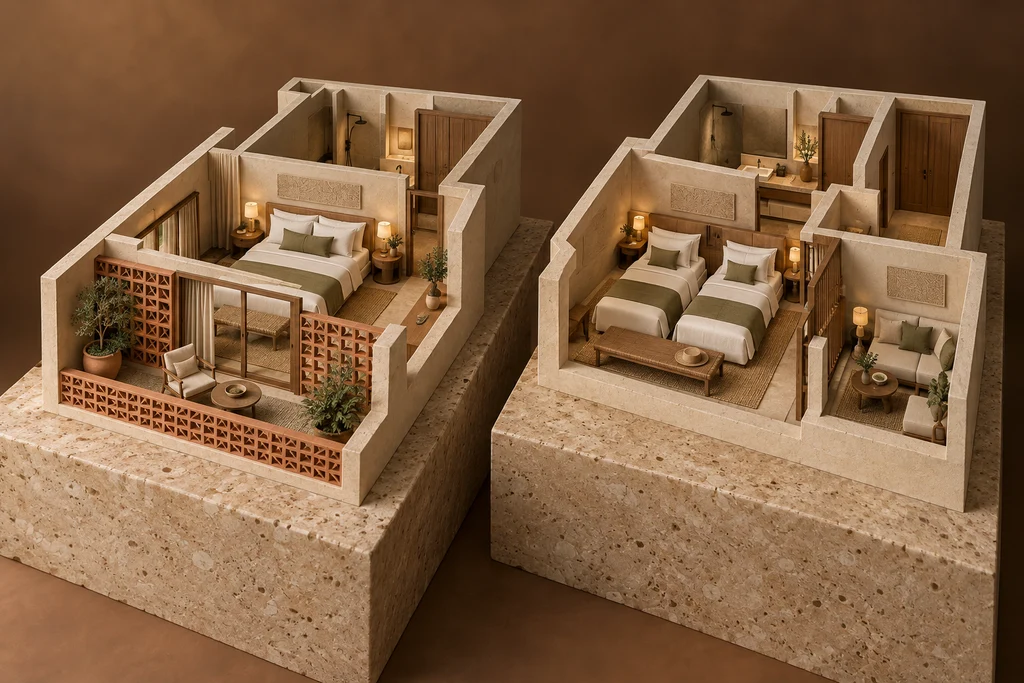
AI-generated hospitality concept. Not a real property, room or bookable offer.
Help guests compare room types, rate inclusions and booking conditions. Use the room-and-rate worksheet to review your hotel website and booking journey.
By Karl Belowodski · fieli studio
In 30 seconds
- A room type and a rate plan describe different choices: the same room can be sold with different meals, payment and cancellation terms.
- Use consistent criteria to compare rooms, then confirm prices for the selected dates and party.
- Use the worksheet to gather information, assign owners and check the handover to your booking system.
A bed, a photograph and a nightly price. Your hotel offers more than that. Can a guest understand the rest before choosing?
Someone comparing rooms may want twin beds, a private veranda, a particular bathroom layout or a rate that leaves room for plans to change. An attractive gallery cannot explain those differences on its own.
Presenting room types and rates on a hotel website means separating the space a guest will occupy from the terms under which they book it. This article shows how to structure that choice and includes a worksheet for your team. The images are fictional studies, not real properties or bookable offers.
A room type and a rate plan answer different questions
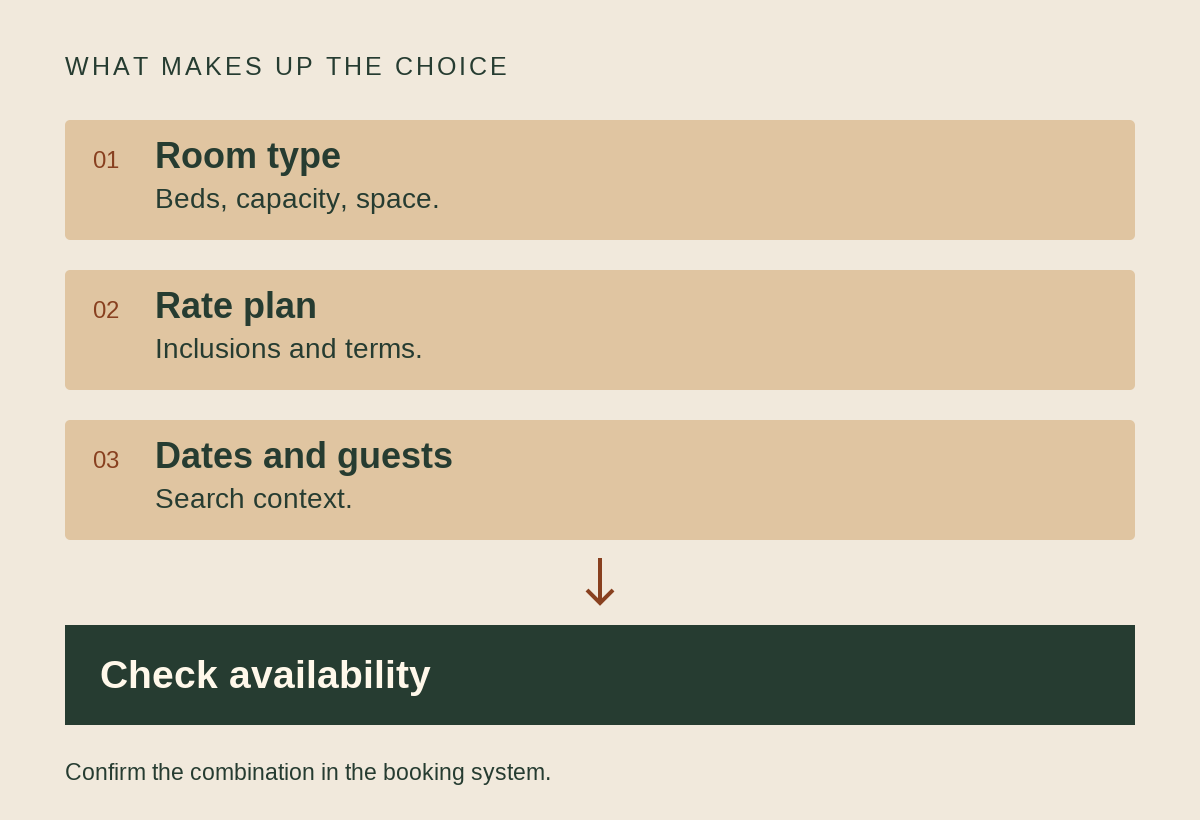
A room type describes a category of accommodation. A rate plan organizes a commercial offer. Booking.com’s documentation defines a bookable product as a combination of room type, rate plan and conditions, including payment, cancellation and meals.1
That distinction is useful when writing a page. Bed configuration, floor area and a veranda describe the space. Breakfast, advance payment or cancellation flexibility may depend on which rate is selected for that space.
Consider a teaching example: one room category is offered both with breakfast and on a room-only basis. A restaurant photograph cannot tell the guest which option they have selected. The inclusion needs to sit alongside the rate it belongs to.
Internal system names do not have to become guest-facing labels. “Plan 02” might be clear to the revenue team and meaningless to a traveller. Use a readable name followed by the relevant terms. If a plan is called flexible, explain what may change and the deadline that applies.
Compare rooms using a consistent set of attributes
Superior, Premium and Signature may be valid category names. Guests still need to know what differs. Rather than asking them to remember details across several galleries, show the relevant attributes in a consistent order.
Nielsen Norman Group’s guidance on comparison tables emphasizes consistent content and an easy-to-scan presentation.2 For a hotel, this can mean asking the same questions of each room type. It does not establish a guaranteed booking uplift.
The following example is entirely fictional and demonstrates the content structure:
On mobile, scroll the table sideways to compare the categories.
| What to compare | Garden — fictional example | Veranda — fictional example |
|---|---|---|
| Beds | Two single beds | One double bed |
| Private outdoor space | None | Covered veranda |
| Occupancy in this example | Two adults | Two adults |
| Breakfast | Depends on the selected plan | Depends on the selected plan |
| Price and cancellation | Check for the chosen dates | Check for the chosen dates |
There is no universal winner. Two people travelling together may prefer separate beds, while another guest may place more value on private outdoor space. The page should make that difference understandable.
Publish dimensions, occupancy and access features only after they have been checked. A photograph does not establish whether a bathroom or route meets a particular accessibility need. Describe verified features precisely and provide a way to discuss requirements that need individual confirmation.
Put inclusions next to the offer they belong to
A hotel having parking does not establish that a space is included. A restaurant does not tell guests which meals come with a rate. Availability of a service and inclusion in an offer are separate facts.
For each commercial option, distinguish what is included, what can be purchased separately and any conditions affecting use. Opening hours, advance arrangements and service availability may matter where they form part of the actual offer.
Specific language helps. “Everything you need” leaves a guest guessing. A clear description of meals, shared facilities and additional services gives them something to check. Do not add benefits the operation cannot reliably provide.
Photographs also need to match the selected category. If an image shows a veranda available only in some units, explain that distinction. Select views that describe the room and its relationships, rather than filling the gallery with near-identical angles.
Give the price its context
A “from” price is not a complete comparison. For which dates and party size? Per night or for the whole stay? Which rate plan? What charges form the total?
Where prices vary, the website can direct guests to the booking engine for a current search rather than maintain a separate manual price list. A specific promotion needs someone responsible for its validity, conditions and removal when it ends.
For Hotel Center participants, Google requires the price supplied to its service to correspond to the offer available at the destination for the selected itinerary.3 This is a requirement of that service, not a claim that every discrepancy on every website has the same cause.
In your editorial review, follow one search using the same dates and party size all the way through. Check the total and the terms presented before confirmation. The aim is to make the applicable price understandable, rather than use a smaller number as an attention device.
The page needs to work with the hotel’s operation
A booking engine handles the search and booking options. A property management system, or PMS, supports hotel operations. A channel manager coordinates distribution across sales channels. These functions may sit with one provider or several; Expedia’s connectivity guidance distinguishes the systems.4
Before redesigning the journey, establish which tools are already in place, what data they exchange and who owns their configuration. A new website does not necessarily require a new reservation system. Start with a compatible integration from the current provider and check the actual guest journey.
If the property handles enquiries manually, the button should make that clear. Receiving a message does not establish availability or confirm a stay. The handover also needs to retain useful context: room category, dates and party size should not disappear without explanation.
A website can prepare that conversation. Our article on what a hotel website should explain before guests message covers the information that supports an enquiry. Here, the focus is the relationship between the room and its commercial terms.
Review one room and one rate before expanding the task
Choose a category and a rate plan. Gather the description, images, occupancy, inclusions, terms and sources of changing data. Record who approves each item and when it was checked.
Download the room-and-rate worksheet in CSV format. It contains fields for your team to complete and requires no registration. Use the five checks at the end of this page to review the result on a phone.
Consider two different moments: a guest comparing room types and a guest who has selected dates and is checking the terms. The first needs to understand the physical differences; the second needs a current result and a clear next step.
If a larger project is needed, first document the offer and responsibilities in the hotel website brief. That keeps the design tied to information the team can actually maintain.
Your hotel is more than a nightly rate. Its website should explain what that rate allows a guest to book.
Five checks before publishing a room page
Choose one room type and one rate. Follow the journey without completing a booking.
Identify the room type.
Verify its name, beds, capacity, size and relevant features.
How to check Are the same attributes covered for every category?
Separate the rate conditions.
Describe inclusions, extras, payment and cancellation for the selected option.
How to check Does the copy promise something that belongs to another plan?
Follow a real search.
Choose dates and a party size, then proceed to the final review without completing a booking.
How to check Do the price, occupancy and terms remain consistent?
Assign a source and an owner.
Record where each piece of information comes from and who maintains it.
How to check Does a system change require an update to manually written copy?
Check the next step.
Establish whether the button opens availability, an enquiry or a booking flow.
How to check Can the guest tell what stage they are at and what happens next?
Frequently asked questions
Does a room page need to display a fixed price?
Not always. If the price depends on dates and occupancy, the page can describe the category and lead to an up-to-date search. Any advertised price needs its relevant context and conditions.
Does having a restaurant mean breakfast is included?
No. A facility being available does not establish that its services are included in a particular rate. Check the selected option.
Does sending an enquiry confirm a booking?
Not by itself. An enquiry may start a request; confirmation depends on the hotel’s actual process and must be communicated clearly.
Will a new website guarantee more direct bookings?
No. A website can improve presentation and the path to booking, but demand, offer, price, availability and service also affect the outcome.
Sources
- Booking.com — Room types and rate plans (Accessed October 18, 2026)
- Nielsen Norman Group — Comparison tables (Accessed October 18, 2026)
- Google Hotel Center — Price accuracy (Accessed October 18, 2026)
- Expedia Group — Hotel connectivity providers (Accessed October 18, 2026)
Updated .
How we made this note: AI-assisted research, every source opened and checked, writing and review by fieli studio.